Latest Updates - July 2026
· Andreas Schindler, CEO | dnl.ai
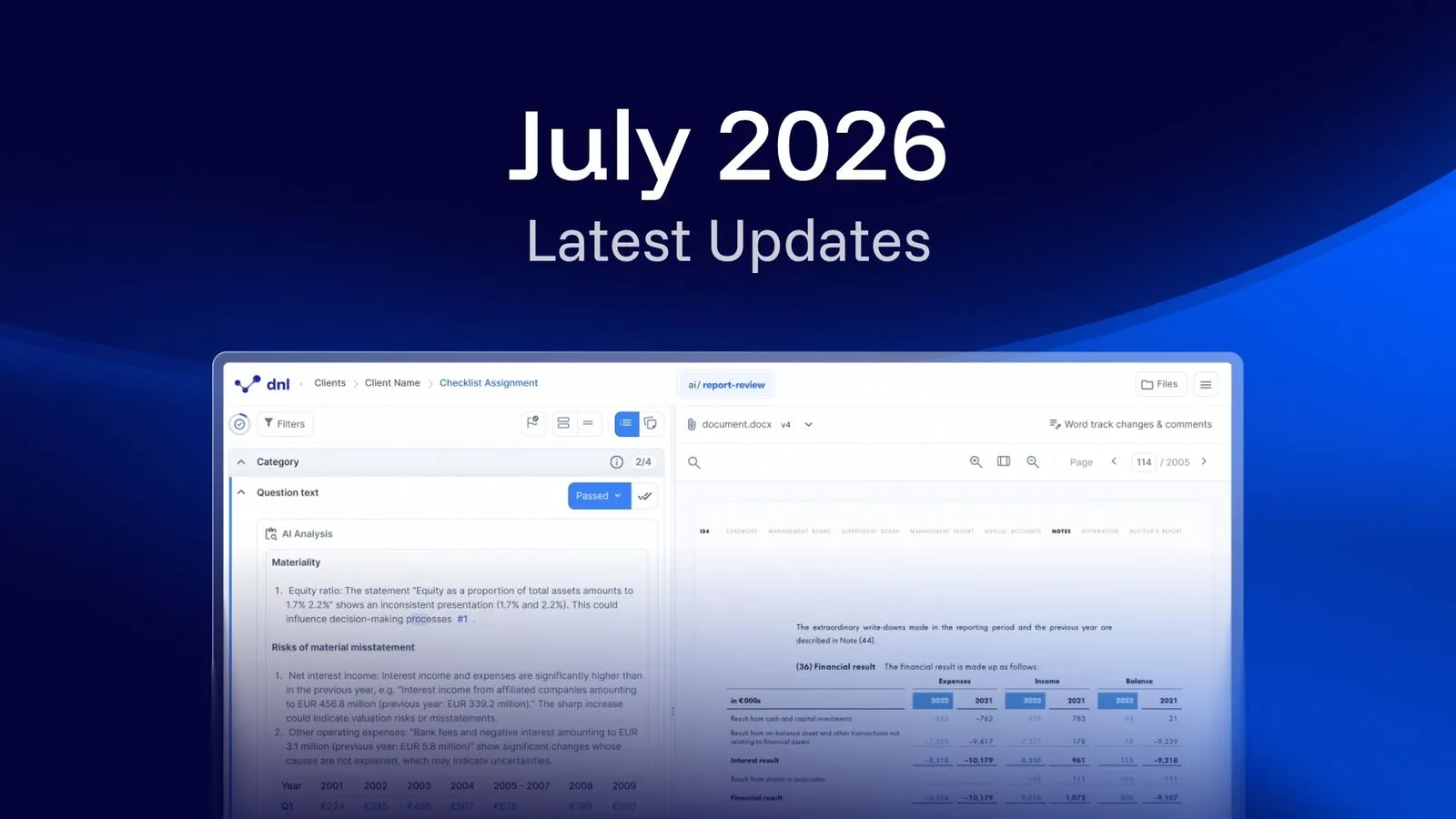
This month we’re introducing ai/report-review, a new AI-driven way to work through complex audit reports, multiple reference linking and the ability to easily view old versions of documents.
ai/report-review
New product release
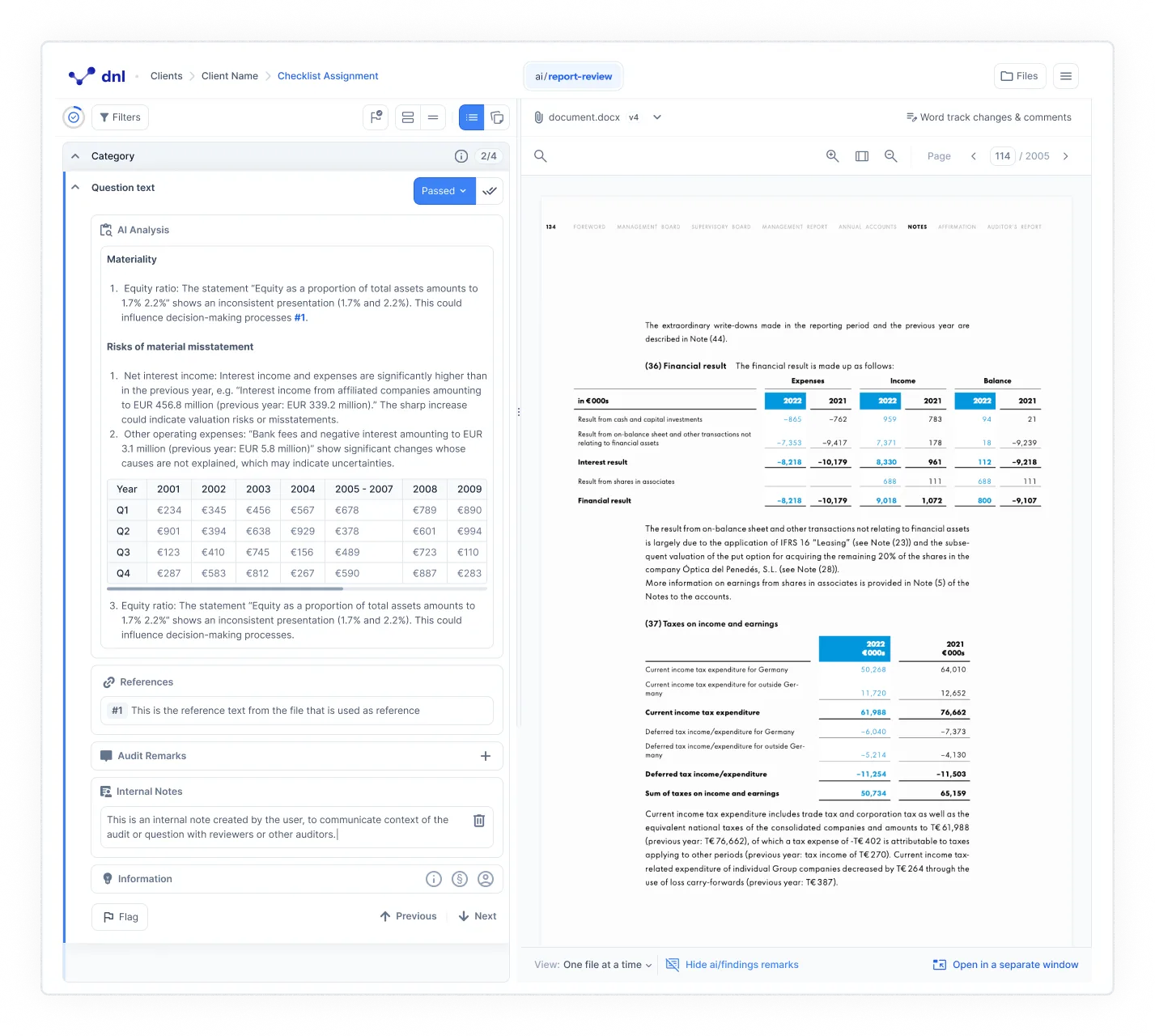
You can now self-check your audit reports before they ever reach the Report Review team, catching issues early and submitting with confidence. Each quality check comes with a clear explanation behind the AI’s judgment, so it’s obvious what’s working and what needs a second look.
The result: smoother reviews, fewer surprises, and less back-and-forth for everyone involved. The product is expected to be rolled out fully by July 2027.
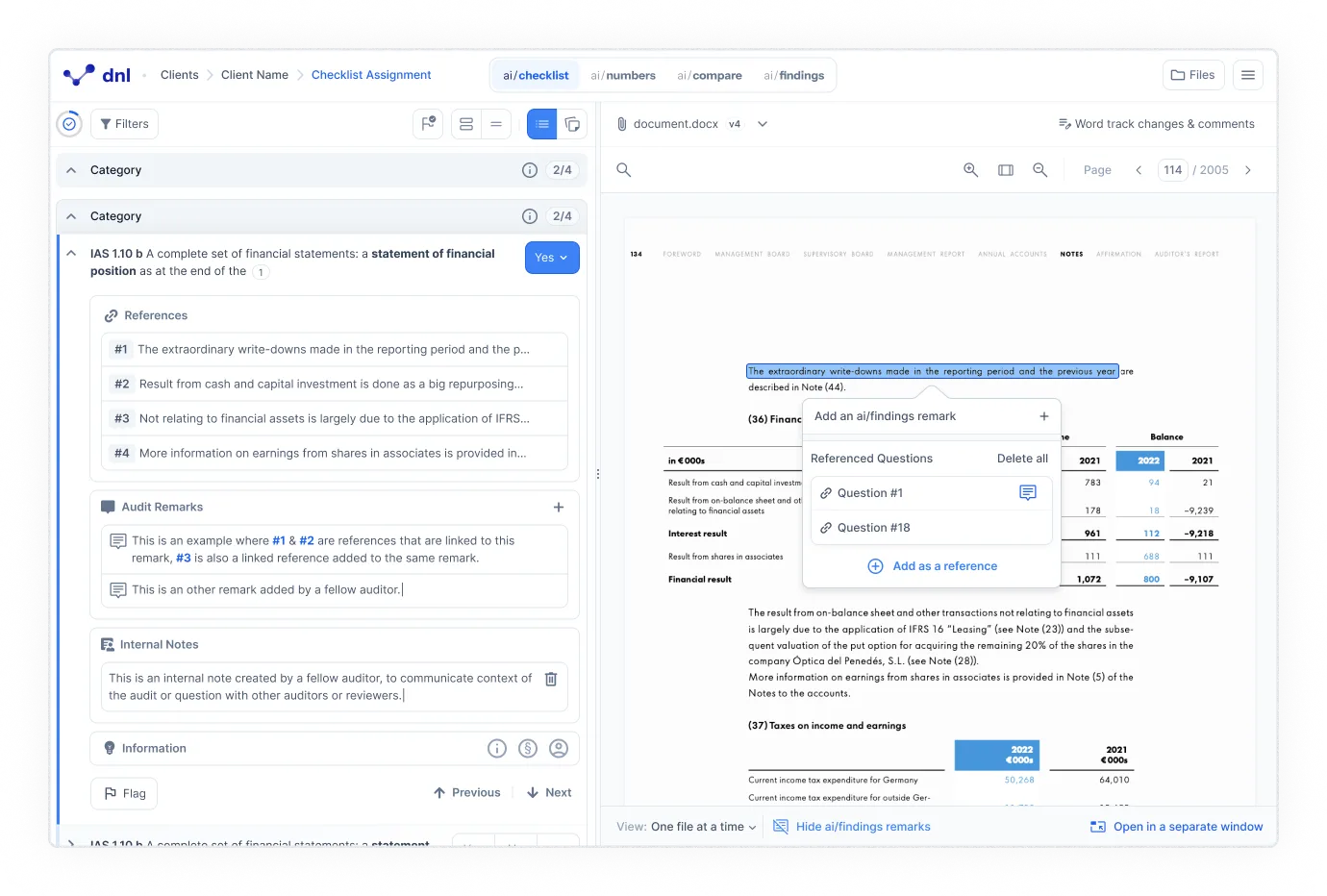
Adding multiple remarks to a question (ai/checklist)
Document files now display a consistent version indicator at all times. The file label identifies the logical file group rather than each individual upload so when you upload a new version of the same file, the number stays the same and the version counter increments (for example, Notes (1) V2). A new file of the same type gets the next available number (Notes (2) V1).
This makes it straightforward to see which version is current and follow the upload history across documents, both in the Documents Selector and the File Manager.
Referencing inside remarks (ai/checklist)
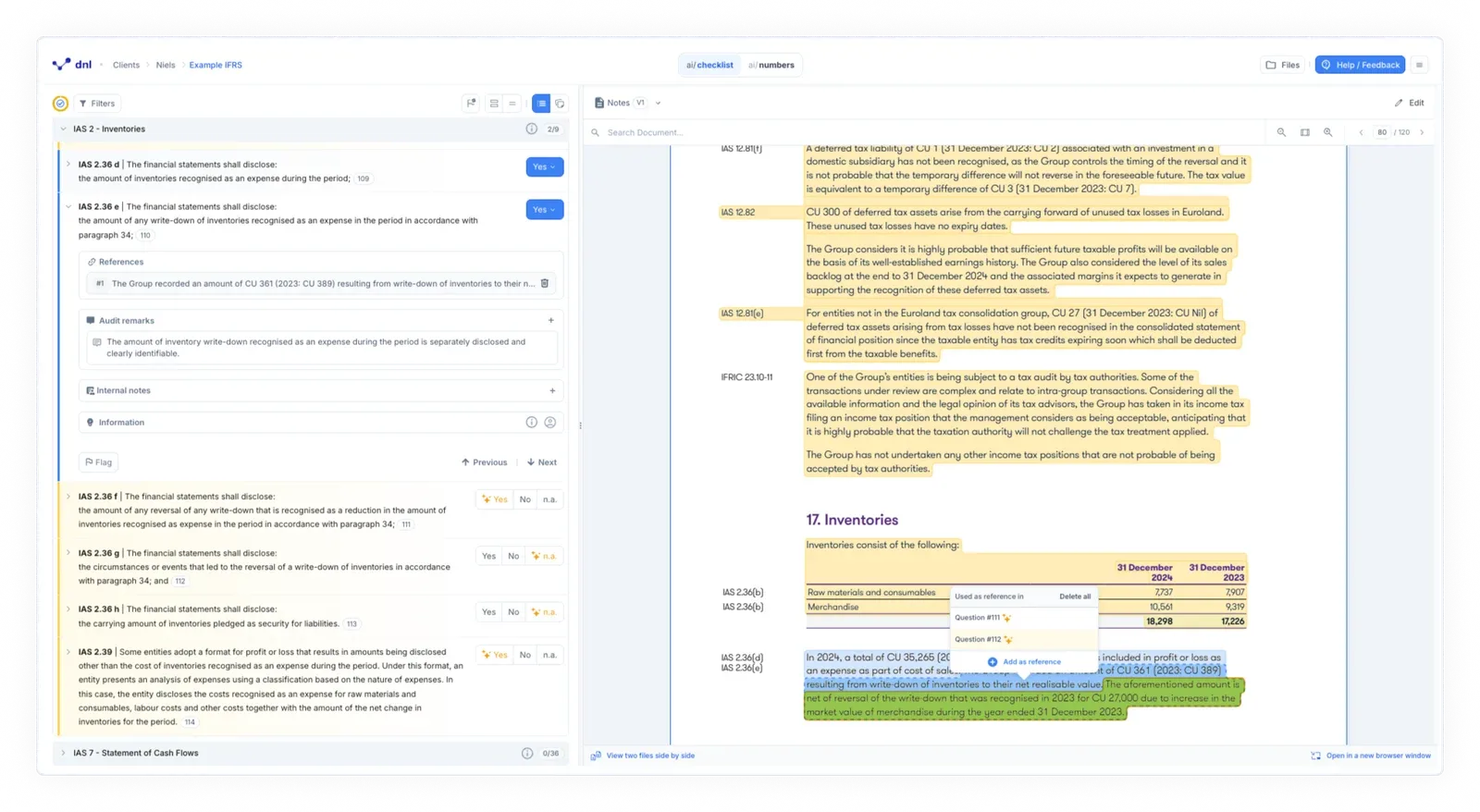
You are now able to mention a reference directly inside a remark using a
# prefix. When the reference number exists in a questions reference list, it will
render as a link and scroll the document to that annotation when clicked. On
export, remarks will be merged into a single field and reference pointers are
replaced with the correct export IDs automatically.
View older document versions (ai/checklist & ai/numbers)
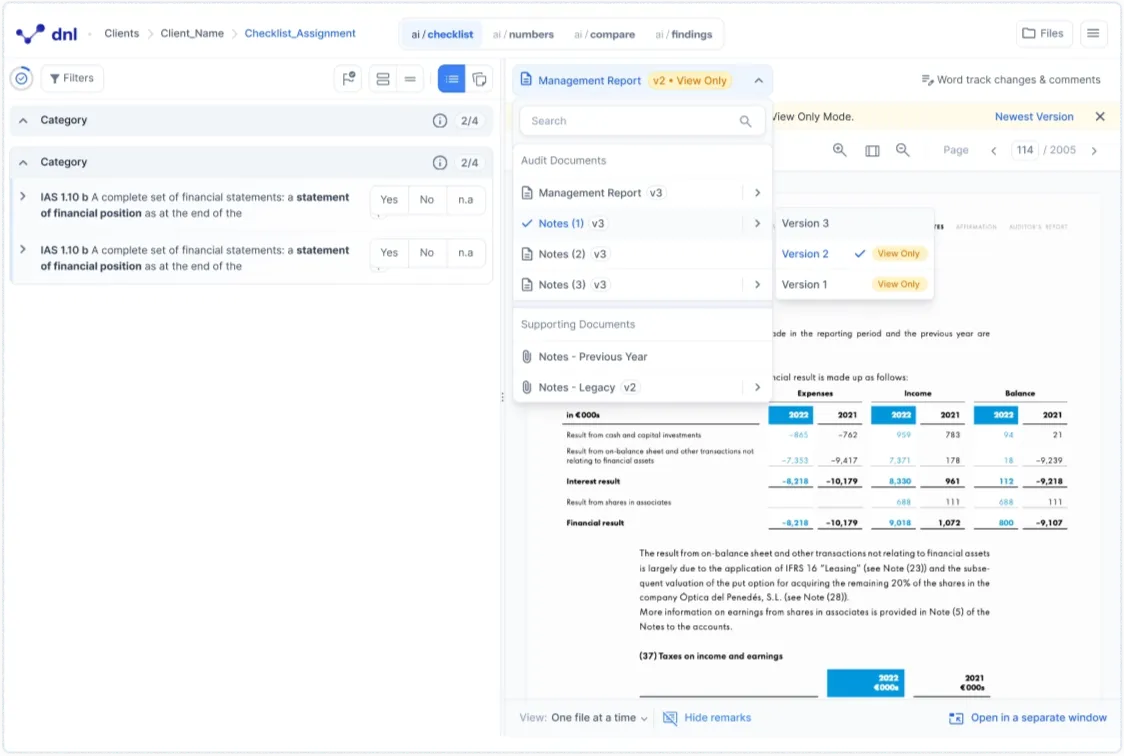
You can now open any older version of a document from the document selector in read-only mode. Documents are grouped by name in the selector, with older versions collapsed underneath and clearly marked as View Only. Old comments and change requests are also visible in edit mode, they will remain View Only.
When a number or reference is lost, you can click it to navigate directly to the document version where it was last valid. This gives you a clear trail back to any finding without needing to switch files manually.
A note on Word edit mode (ai/checklist & ai/numbers)
As we continue developing Word editing, we’re focusing on getting collaboration and saving exactly right. For now, automatic saving and real-time sync are turned off, and Word editing works as follows:
- Saving your changes. Changes in Word edit mode are not saved automatically as you type. Please use the Save button to save your work.
- Editing together. Changes are not synced between users in real time. Please make sure only one person edits a Word file at a time, and coordinate with your team accordingly.
We’re actively working on a stronger approach to collaborative editing and will share the improved experience in an upcoming release.
Which products does this release cover?
This release note is tagged for ai/checklist and ai/numbers, and it introduces ai/report-review. Earlier monthly release notes are collected in the resource center.